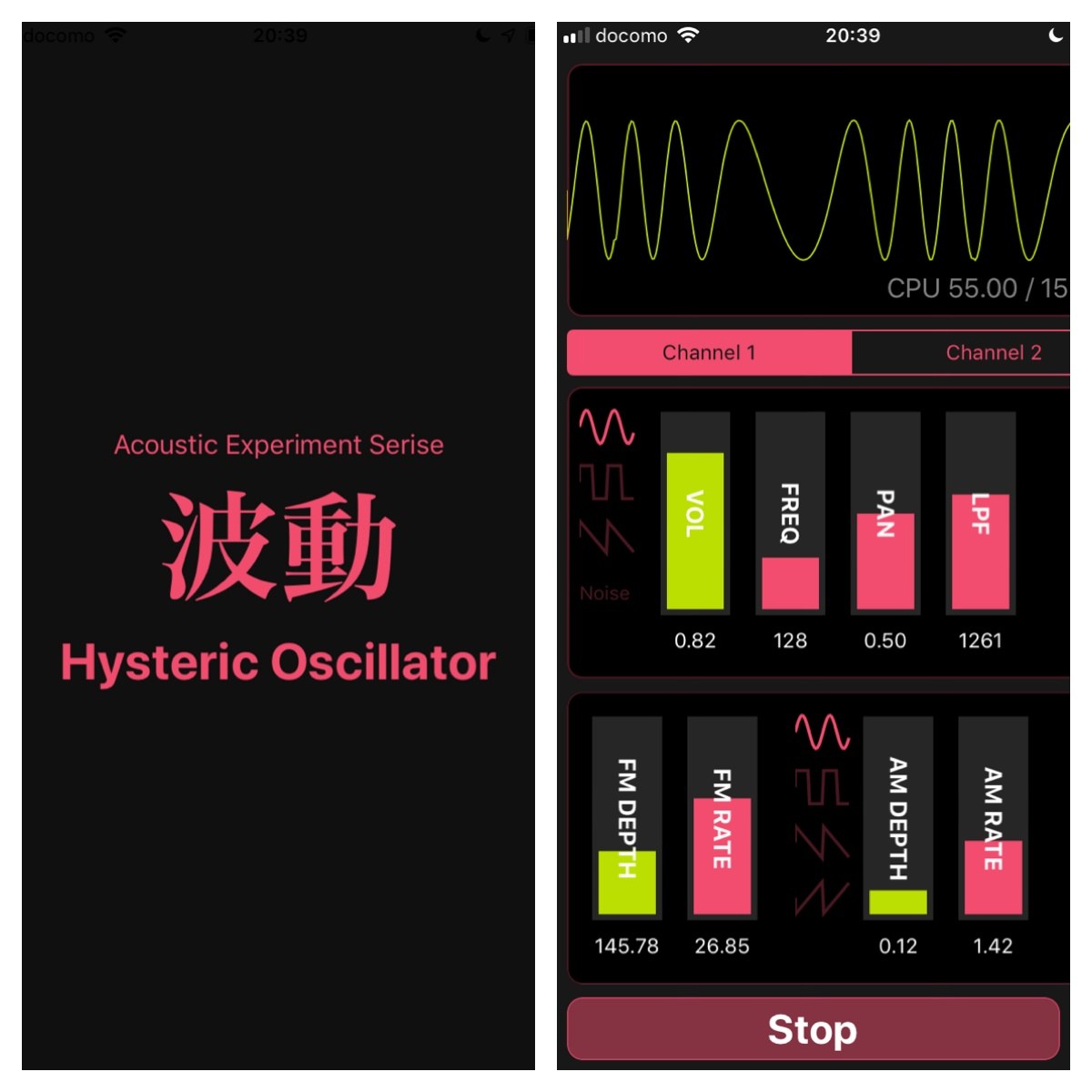
Hado Hysteric Oscillator is an oscillator experiment app for iPhone and iPad that lets you play sound while viewing the waveform.
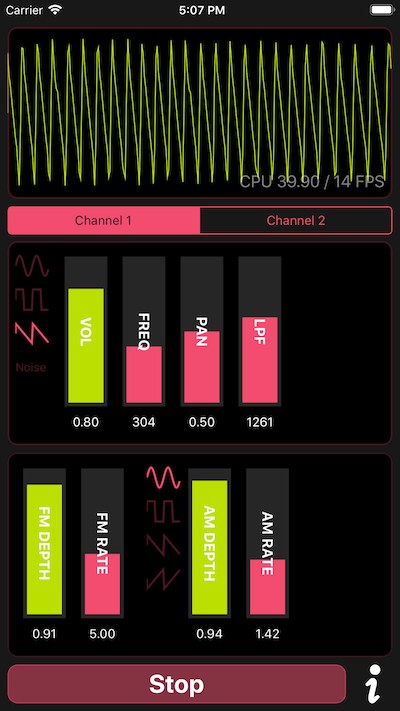
You can control frequency, volume, stereo panning, a low-pass filter, and AM / FM modulation from your device. It is useful for quick speaker and amplifier checks, DIY audio circuit tests, and learning the basics of waveforms and modulation.
Demo Video
The following video shows how the controls affect the sound.
What You Can Do
- Play test tones and drone sounds by changing the frequency
- View the waveform while listening to the sound
- Adjust stereo panning and compare the sense of position
- Use the low-pass filter to hear how high frequencies are reduced
- Try AM modulation similar to tremolo
- Try FM modulation similar to vibrato
- Use two channels to hear interference and beating between tones
- Save experiment settings with presets
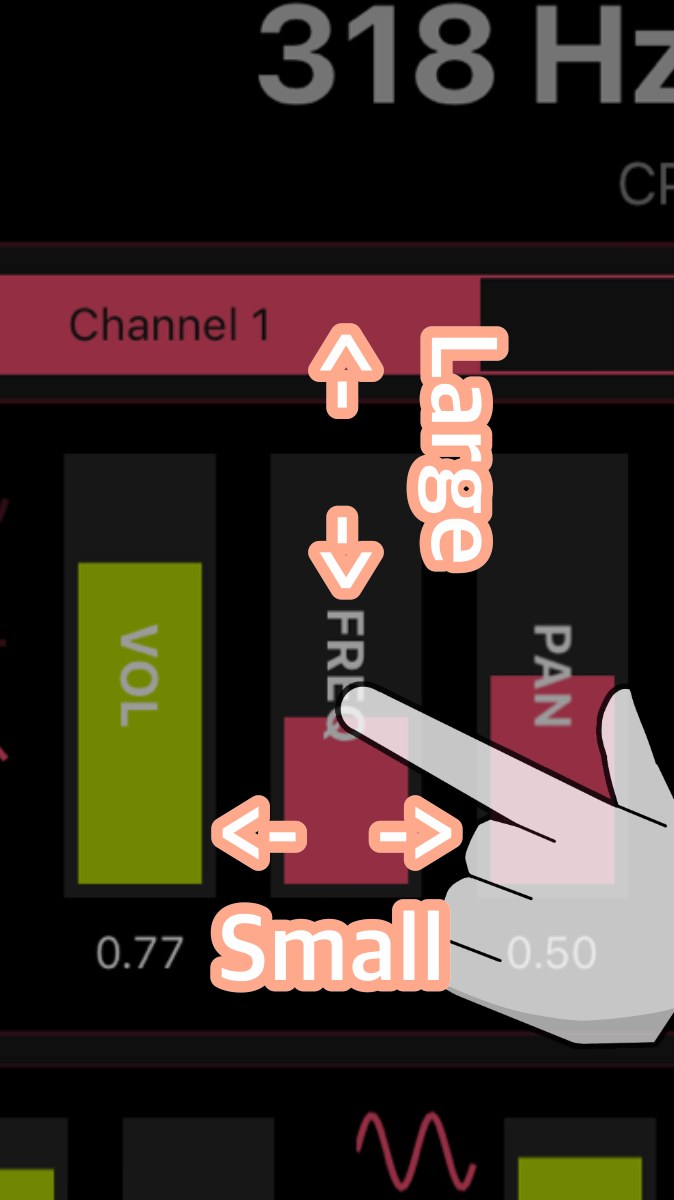
The amount of parameter change depends on how you move the slider. Moving vertically makes larger changes, while moving horizontally makes smaller adjustments. A practical workflow is to find the rough range first, then fine-tune with horizontal movement.
Recommended Uses
- Quick checks for speakers, earphones, and amplifiers
- DIY effects pedal and audio circuit experiments
- Learning basic synthesizer waveforms, filters, and modulation
- Classroom, workshop, or sound experiment demonstrations
- Sound play with drones, beating tones, and modulated tones
For example, you can play a tone around 1 kHz to check a speaker or amplifier output, or layer two close frequencies to hear beating. With stronger FM / AM settings, a simple test tone can turn into a more animated electronic sound.
Free Version and Full Version
The basic oscillator and waveform display can be tried for free. Features such as ad removal, two-channel oscillator use, and preset saving are available through an App Store in-app purchase.
| Item | Free Version | Full Version |
|---|---|---|
| Basic oscillator | Available | Available |
| Waveform display | Available | Available |
| Frequency, volume, and panning controls | Available | Available |
| LPF / AM / FM | Available | Available |
| Ads | Shown | Removed |
| Two-channel oscillator | Limited | Available |
| Preset saving | Limited | Available |
The app itself is available for free on the App Store. Full Version pricing and conditions may change, so please check the App Store and in-app display before purchase.
Purchases and Ads
- In-app purchases are processed through Apple’s App Store / StoreKit.
- The developer does not directly collect or store payment information such as credit card details.
- Purchase status is managed through your Apple ID and StoreKit. When reinstalling the app or changing devices, use the same Apple ID and check the App Store purchase history or the restore option in the app.
- The app may connect to third-party advertising services to display ads.
- For details about ads and privacy, see the Hado Hysteric Oscillator Privacy Policy .
Glossary
| Label | Meaning |
|---|---|
| VOL | Volume |
| FREQ | Frequency |
| PAN | Panning |
| LPF | Low Pass Filter |
| FM DEPTH | Frequency Modulation Depth |
| FM RATE | Frequency Modulation Rate |
| AM DEPTH | Amplitude Modulation Depth |
| AM RATE | Amplitude Modulation Rate |
Safety Notes
Because this app produces sound, start with a low volume. Be especially careful when using earphones, headphones, external speakers, or amplifiers so that a loud tone does not play unexpectedly.
Very low and very high frequencies can be perceived differently depending on the environment and playback equipment. Avoid raising the volume too much just because a tone is difficult to hear, as it may place stress on your ears or equipment. If a minor uses the app, parental or guardian supervision is recommended where necessary.
For Hardware Experiments
If you also want to observe actual waveforms or circuit responses, an oscilloscope or audio interface can make audio experiments much easier.
Related Pages
- Sine wave oscillator circuits
- DIY effects pedals I built around 2020
- Making a sound sensor with Raspberry Pi
- Ear training app Harmonize