Super Memo
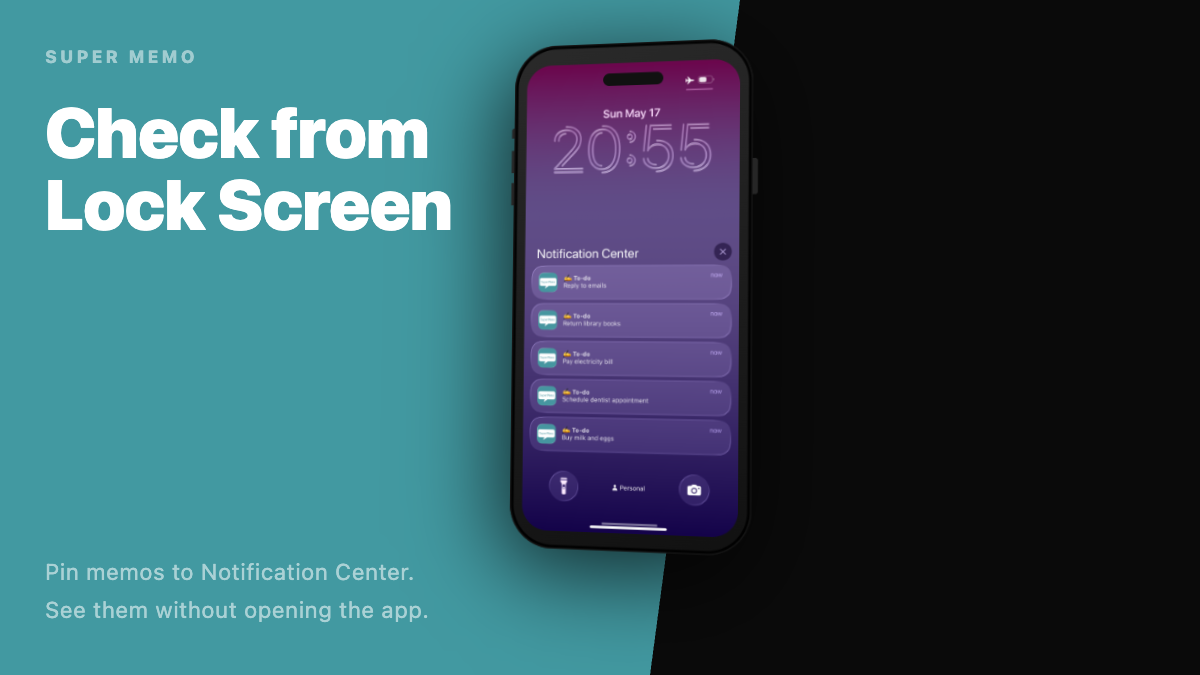
The moment you wake your screen, today’s memos are right there.
Super Memo is an iPhone note app that lets you check your shopping lists, packing lists, daily to-dos, and any memo you want to revisit — instantly from your Lock Screen or Notification Center.
It’s not a rich note-taking app, and it’s not a time-based reminder. Super Memo focuses entirely on one thing: seeing your memos whenever you want, without hunting for the app.
When to use it
- Check a shopping list over and over while you’re at the store
- Review your packing list or schedule before heading out
- Keep today’s tasks somewhere visible — not buried in a long list
- Never forget event notes, booking numbers, or steps you repeat
- Short memos lost inside a long-form notes app
Not urgent enough for a timed reminder. Too important to forget. Super Memo handles the notes that sit between reminders and notebooks — the ones you just want to keep in sight.
3 things Super Memo does well
1. “Leave it” in Notification Center
Pin any memo to Notification Center. You can check it from your Lock Screen or with a swipe — no need to open the app.
Put your shopping list in notifications while you shop, then remove it when you’re done. Show only the memos you need right now, for as long as you need them.
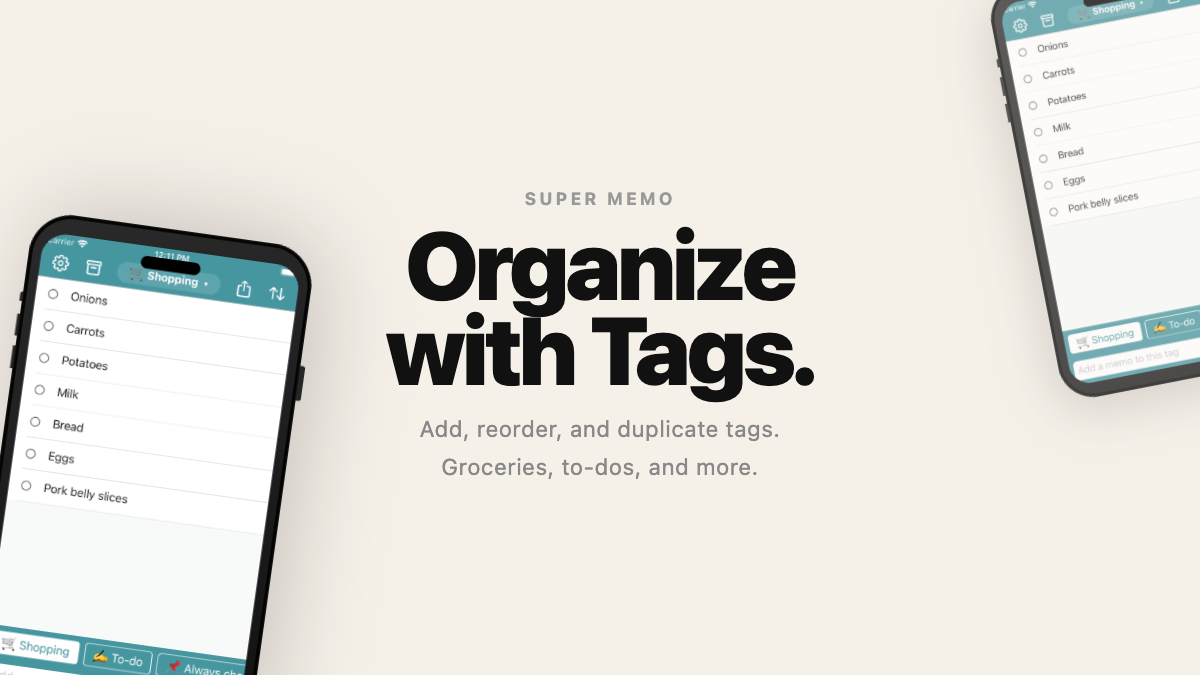
2. Organize with tags
Categorize memos with tags like Shopping, To-do, Packing, or Work. Add, reorder, duplicate, and delete tags freely — your list stays manageable no matter how it grows.
Swipe sideways to switch tags, or long-press to bring up tag actions. Comfortable with one hand.
3. Strikethrough to mark done
Cross off a completed memo with a strikethrough and leave it visible, faded. No need to delete it — you can see it’s done. Great for shopping lists and checklists. Send finished items to Archive all at once.
Features
Add and organize memos
- Add a memo instantly from the input field at the bottom
- Categorize and reorder with tags
- Bold and strikethrough to emphasize or mark complete
- Reorder the list, select multiple items for bulk actions
Notifications, Lock Screen, and widgets
- Add or remove any memo from Notification Center
- Home screen widgets (3 sizes) to display memos by tag at all times
- Lock Screen widget support
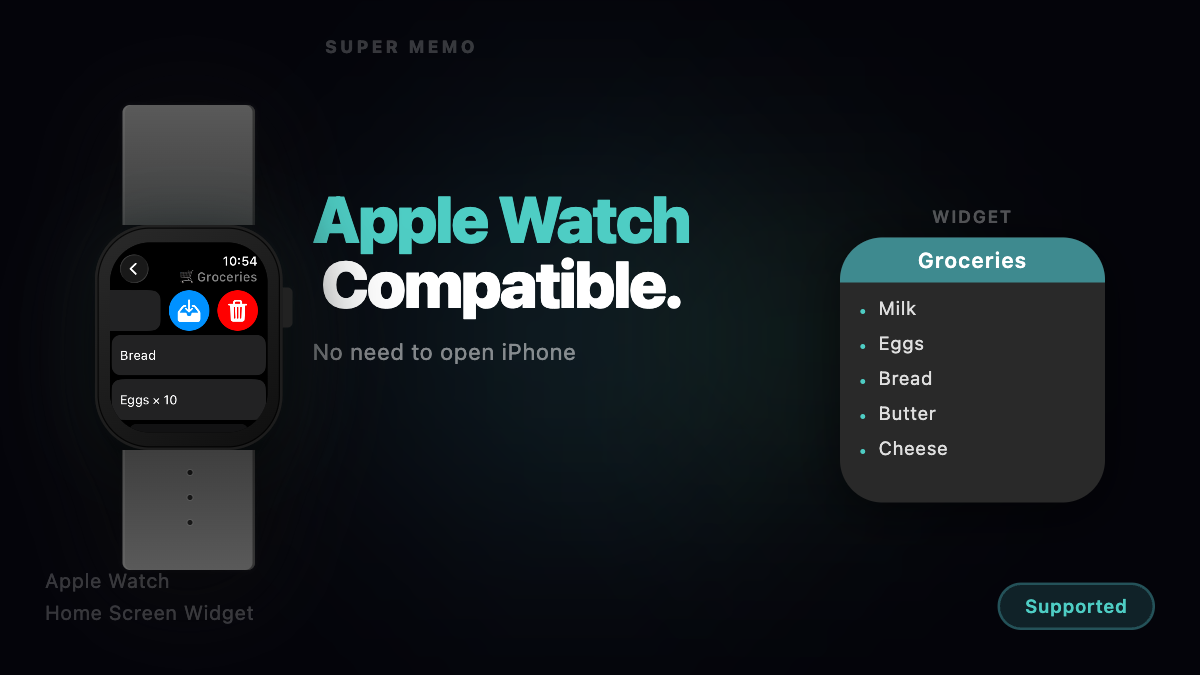
Apple Watch
- Memos sync automatically to Apple Watch
- View, archive, and delete from your wrist
- Changes reflect on iPhone instantly
Share Extension / Bulk import
- Add text or URLs directly from Safari and other apps
- Tap a memo with a URL to jump to Safari
- Import up to 100 items at once from multiline text or a text file URL
Markdown share
- Export memos by tag in Markdown format
- Standard format with tag headings, or checkbox format
- Ready to paste into other note apps or documents
Floating button customization
- Up to 4 floating buttons when selecting memos — your choice
- Pick from Trash, Archive, Notification, Strikethrough, and Share
Archive
- Memos you don’t need now but want to keep — Archive, not Trash
- Restore to the original tag anytime
iCloud backup and restore
- Back up memos, tags, and archives to iCloud
- Restore your data when you switch devices or reinstall
- No extra account needed — just your Apple ID
Themes and appearance
- Switch between Light, Dark, and System appearance
- Change the theme color and the app icon changes with it
Remove Ads add-on
- One-time purchase to remove ads, available on the App Store
Privacy
- Memos, tags, and archives are stored on your device
- If you use iCloud Backup, data is stored in Apple iCloud
- We never send your memo content to our own servers
- Third-party services (e.g., Google AdMob for ads) are used only as needed
See our Privacy Policy for details.
Getting started
- Install Super Memo from the App Store
- Write memos in the input field at the bottom, and organize them with tags
- Add the memos you check most often to Notification Center — then see them from your Lock Screen
For detailed guides and hidden tips, visit the FAQ .
Download
Super Memo is free to download. The Remove Ads add-on is a one-time purchase.
Links
- FAQ
- Developer Interview (Japanese only)
- Privacy Policy
- Contact
- 日本語サポートページ